
一、简介
电容式触摸感应技术已经广泛应用于家用电器、消费电子等领域,以此发展的触摸按键产品与传统按键相比按键有下面的优点:
无机械装置,不宜磨损老化,超长使用寿命。
表面无缝隙,无水分、杂质渗透。
减少元件使用,BOM 成本降低。
面板不需开孔,工业设计成本降低。
产品外观美观,设计灵活。
电容式触摸感应技术通过测量面板(传感器)和其环境之间的电容变化来检测触摸界面附近是否有触摸事件发生。
下面一个典型的触摸传感器系统组成的示意图。
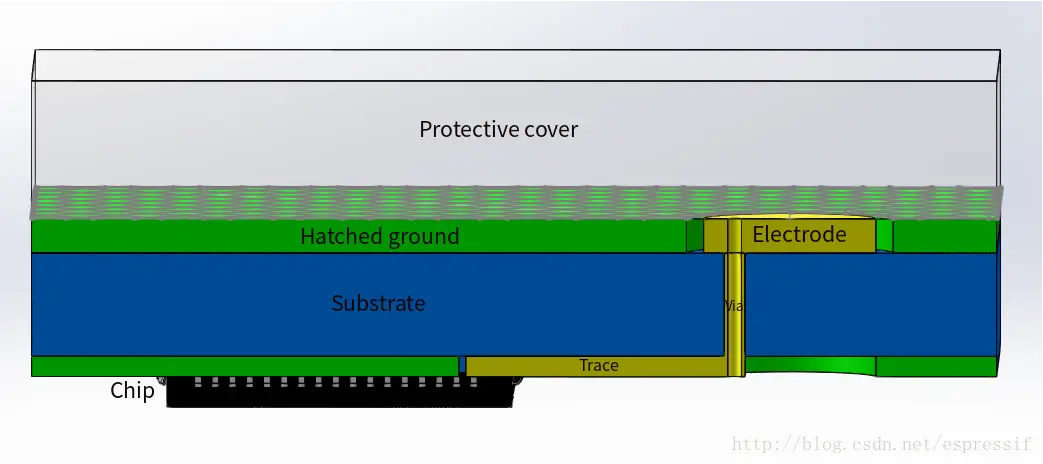
保护覆盖层
保护覆盖层是指触摸面板。触摸面板必须是绝缘材质,作用是隔离触摸电极与外部环境,起到保护作用。但保护覆盖层会降低触摸的灵敏度,需要根据应用场景选择合适厚度、材质。触摸电极
触摸电极是触摸传感器的重要组成。手指触摸时与触摸电极形成平行板电容器,改变触摸通道的电容量。触摸电极必须是导电材质。样式多变,如 PCB 板上的铜箔、金属板、触摸弹簧等。绝缘基板
对触摸电极起支撑作用,非导电材质。
ESP-IDF 编程指南——触控感应器
1.1 FSM 描述
用户可以实时读取每个触摸传感器通道的脉冲计数值(OUT),根据脉冲计数值(OUT)的变化判断是否有手值触摸。这种轮循方式占用较大 CPU 资源。ESP32 也支持配置硬件寄存器实现检测手指触摸动作,硬件周期性检测脉冲计数值,如果超过设置的阈值时会产生硬件中断,通知应用层某个触摸传感器通道可能被触发了。
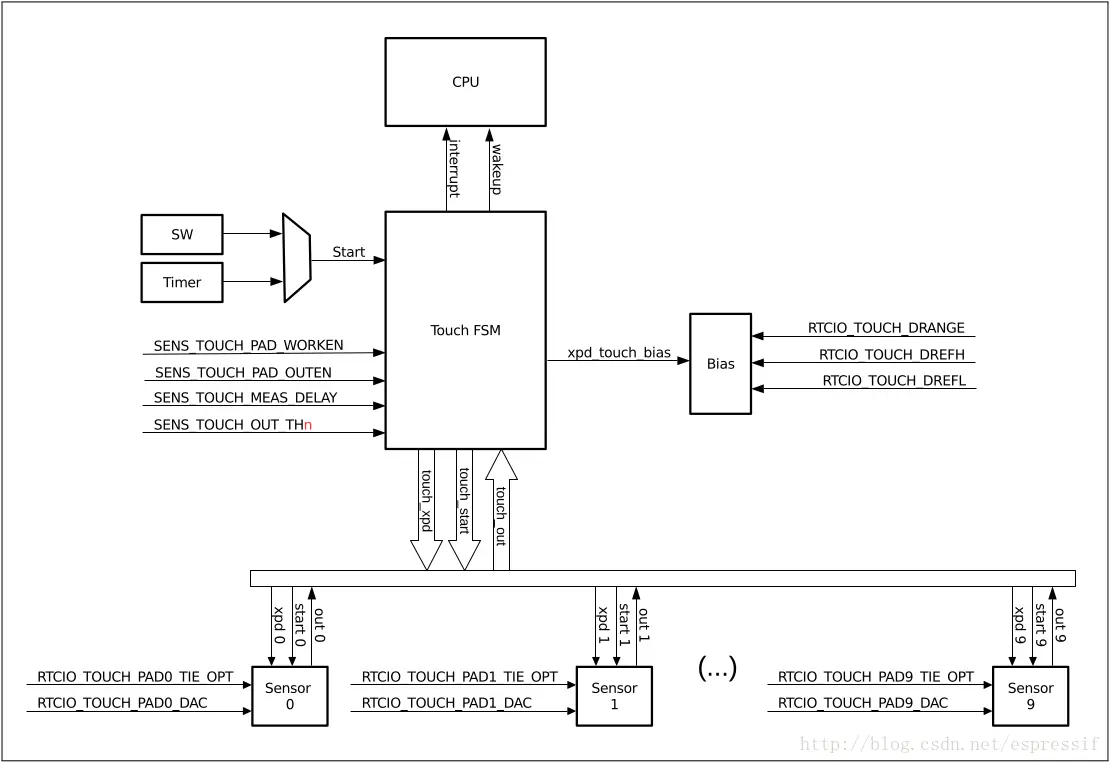
内部的硬件逻辑包含有限状态机 (Finite-State Machine, FSM)。FSM 将执行触摸传感器的内部结构描述的序列检测。软件可通过专用寄存器操作 FSM。
FSM 的内部结构可见下图。
二、IO功能表
ESP32 提供了多达 10 个的支持电容式触摸传感的 IO,能够检测触摸传感器上因手指接触或接近而产生的电容变化。芯片内部的电容检测电路具有低噪声和高灵敏度的特性,支持用户使用面积较小的触摸垫来实现触摸检测功能,用户也可使用触摸板阵列以探测更大的区域或更多的测试点。下表列出了 ESP32 中 10 个具备触摸传感功能的 IO。
TOUCH_PAD_NUM0 = 0, /*!< Touch pad channel 0 is GPIO4(ESP32) */
TOUCH_PAD_NUM1, /*!< Touch pad channel 1 is GPIO0(ESP32) / GPIO1(ESP32-S2) */
TOUCH_PAD_NUM2, /*!< Touch pad channel 2 is GPIO2(ESP32) / GPIO2(ESP32-S2) */
TOUCH_PAD_NUM3, /*!< Touch pad channel 3 is GPIO15(ESP32) / GPIO3(ESP32-S2) */
TOUCH_PAD_NUM4, /*!< Touch pad channel 4 is GPIO13(ESP32) / GPIO4(ESP32-S2) */
TOUCH_PAD_NUM5, /*!< Touch pad channel 5 is GPIO12(ESP32) / GPIO5(ESP32-S2) */
TOUCH_PAD_NUM6, /*!< Touch pad channel 6 is GPIO14(ESP32) / GPIO6(ESP32-S2) */
TOUCH_PAD_NUM7, /*!< Touch pad channel 7 is GPIO27(ESP32) / GPIO7(ESP32-S2) */
TOUCH_PAD_NUM8, /*!< Touch pad channel 8 is GPIO33(ESP32) / GPIO8(ESP32-S2) */
TOUCH_PAD_NUM9, /*!< Touch pad channel 9 is GPIO32(ESP32) / GPIO9(ESP32-S2) */
三、功能概述
3.1 初始化触摸板驱动程序
在使用触摸板之前,您需要通过调用函数来初始化触摸板驱动程序touch_pad_init()。此函数设置“ API参考”中“宏”.._DEFAULT下列出的几个驱动程序参数。它还会删除有关之前曾经触摸过哪些打击垫的信息(如果有的话),并禁用中断。
如果不再需要该驱动程序,请通过调用对其进行初始化touch_pad_deinit()。
3.2 触摸板GPIO引脚的配置
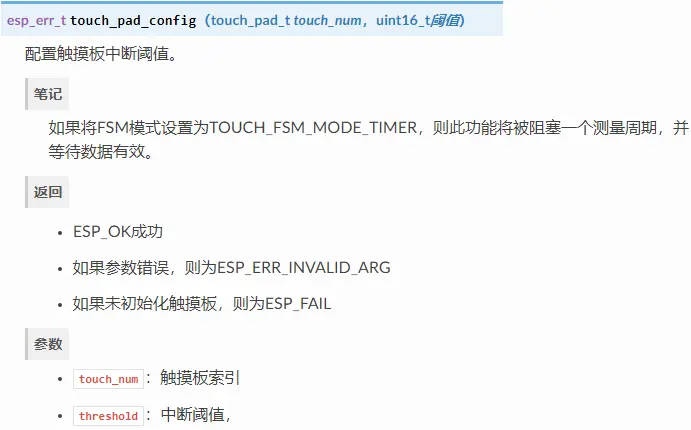
使用可以为特定的GPIO启用触摸传感器功能touch_pad_config()。
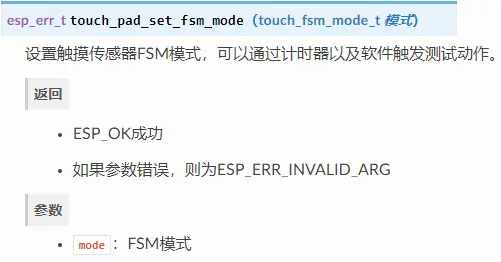
使用该功能touch_pad_set_fsm_mode()选择是否应通过硬件计时器或软件自动启动触摸板测量(由FSM操作)。如果选择了软件模式,请使用touch_pad_sw_start()来启动FSM。
3.3 触摸状态测量
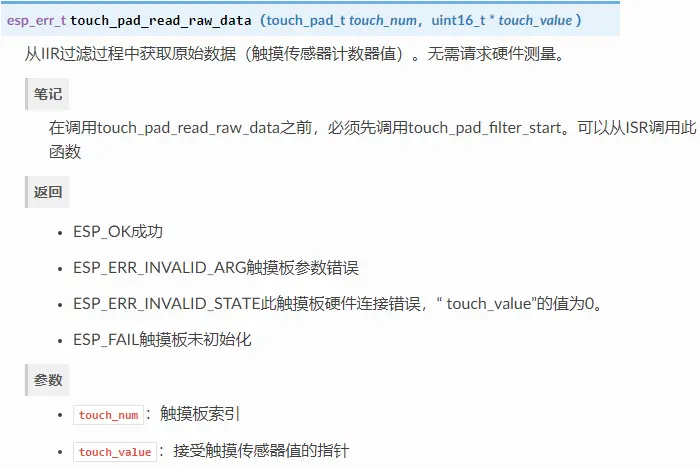
以下两个功能可方便地从传感器读取原始或过滤后的测量值:
touch_pad_read_raw_data()
touch_pad_read_filtered()
它们还可以用于例如通过检查触摸或释放触摸板时传感器读数的范围来评估特定的触摸板设计。然后可以使用此信息来建立触摸阈值。
3.4 调整测量参数
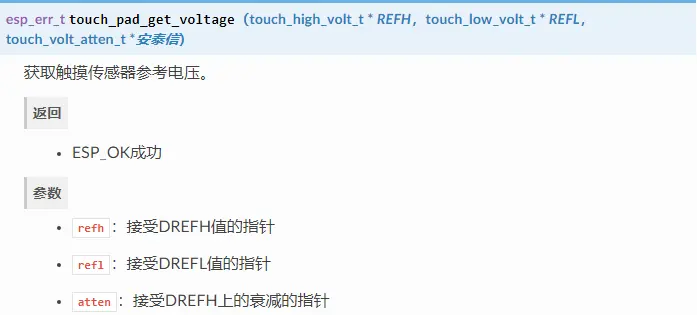
触摸传感器具有几个可配置的参数,以匹配特定触摸板设计的特征。例如,为了感测较小的容量变化,可以缩小触摸板被充电/放电的参考电压范围。高和低参考电压是使用功能设置的touch_pad_set_voltage()。
除了能够识别较小的容量变化之外,积极的副作用还在于降低了低功耗应用的功耗。可能的负面影响是测量噪声的增加。如果获得的读数的动态范围仍然令人满意,则可以通过减少测量时间来进一步降低功耗touch_pad_set_meas_time()。
下表总结了可用的测量参数和相应的“设置”功能:
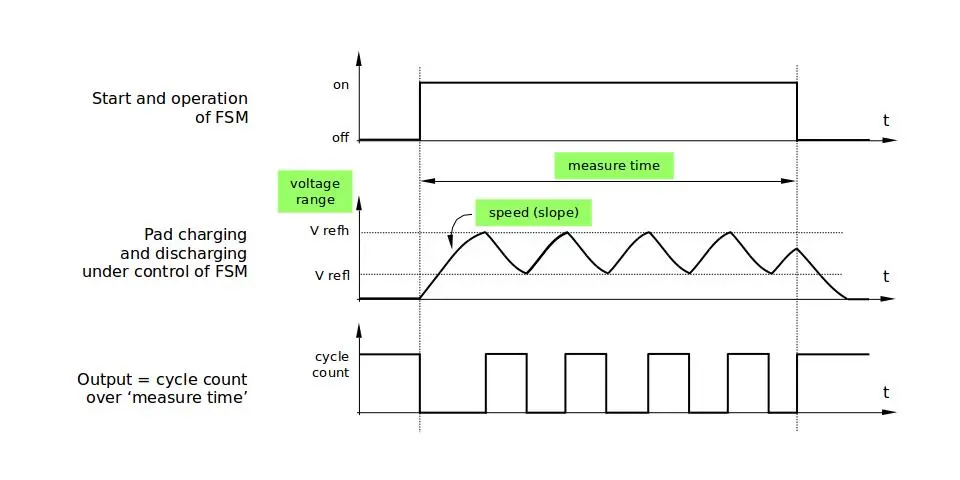
触摸板充放电参数:
电压范围 touch_pad_set_voltage()
速度(坡度): touch_pad_set_cnt_mode()
测量时间: touch_pad_set_meas_time()
电压范围(高/低参考电压),速度(斜率)和测量时间之间的关系如下图所示。
3.5 过滤测量
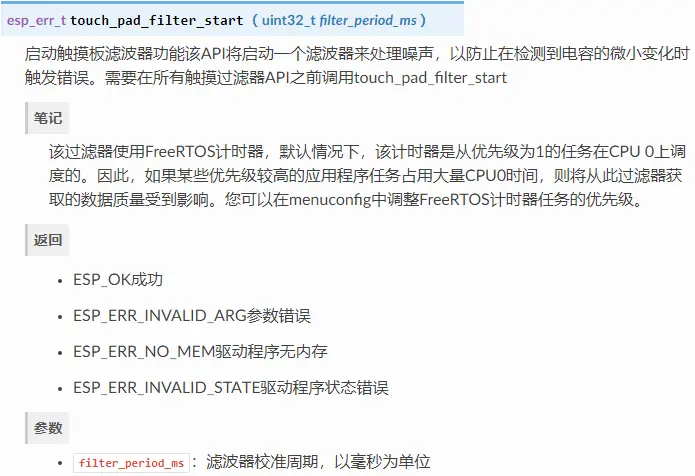
如果测量结果比较嘈杂,则可以使用提供的API函数对其进行过滤。在使用过滤器之前,请调用进行启动touch_pad_filter_start()。
滤波器类型为IIR(无限脉冲响应),它具有可配置的周期,可以使用函数设置touch_pad_set_filter_period()。
您可以使用停止过滤器touch_pad_filter_stop()。如果不再需要,可以通过调用删除过滤器touch_pad_filter_delete()。
3.6 触摸侦测
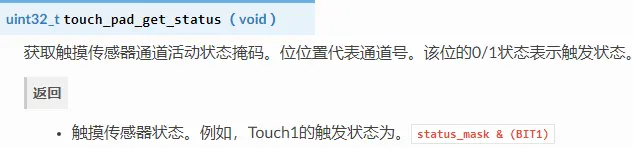
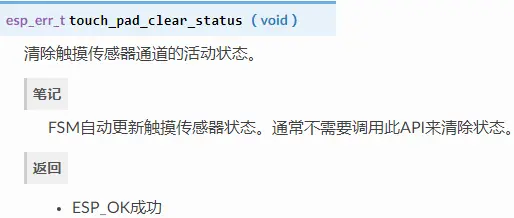
ESP32的硬件基于用户配置的阈值和FSM执行的原始测量来实现触摸检测。使用功能touch_pad_get_status()检查已触摸了哪些打击垫并touch_pad_clear_status()清除了触摸状态信息。
如果测量结果嘈杂且容量变化很小,则硬件触摸检测可能不可靠。要解决此问题,请在您自己的应用程序中执行测量过滤并执行触摸检测,而不是使用硬件检测/提供的中断。有关这两种触摸检测方法的示例实现,请参阅外围设备/ touch_pad_interrupt。
3.7 触摸触发的中断
在启用触摸检测中断之前,应建立触摸检测阈值。触摸和释放打击垫时,请使用“触摸状态测量”中描述的功能来读取和显示传感器测量值。如果测量结果嘈杂且相对容量变化较小,请应用过滤器。根据您的应用和环境条件,测试温度和电源电压变化对测量值的影响。
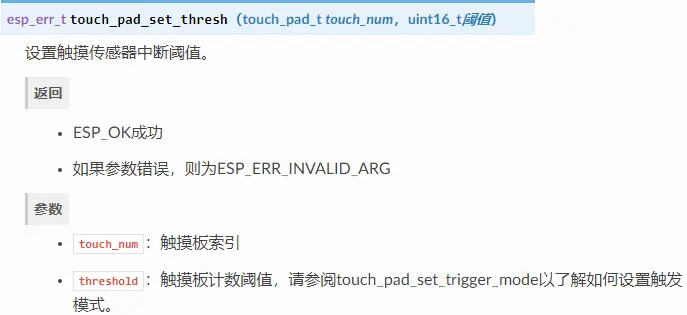
建立检测阈值后,可以在初始化期间使用touch_pad_config()或在运行时使用设置检测阈值touch_pad_set_thresh()。
在下一步中,配置如何触发中断。可以在阈值以下或阈值之上触发这些阈值,该阈值是通过功能设置的touch_pad_set_trigger_mode()。
最后,使用以下功能配置和管理中断调用:
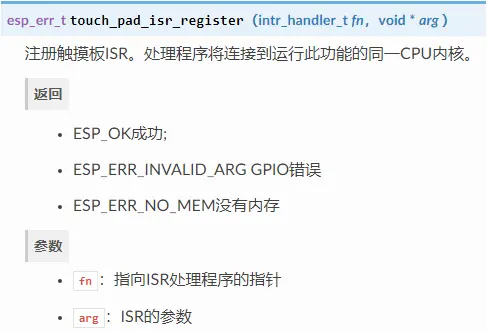
touch_pad_isr_register() / touch_pad_isr_deregister()
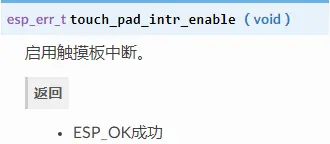
touch_pad_intr_enable() / touch_pad_intr_disable()
当中断可操作时,您可以通过调用touch_pad_get_status()并从中清除中断的状态来获取信息touch_pad_clear_status()。
3.8 从睡眠模式唤醒
如果使用触摸板中断将芯片从睡眠模式唤醒,则可以选择应触摸的某些配置的触摸板(SET1或SET1和SET2),以触发中断并引起随后的唤醒。为此,请使用功能touch_pad_set_trigger_source()。
可以通过以下方式为每个“ SET”管理焊盘所需位模式的配置:
touch_pad_set_group_mask() / touch_pad_get_group_mask()
touch_pad_clear_group_mask()
四、API说明
以下 Touch Sensor 接口位于 driver/include/driver/touch_pad.h 和 driver/include/driver/touch_sensor_common.h。
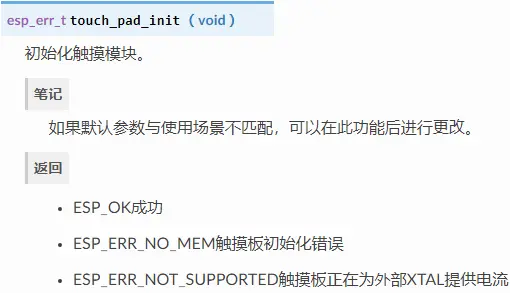
4.1 touch_pad_init
4.2 touch_pad_set_voltage
4.3 touch_pad_config
4.4 touch_pad_filter_start
4.5 touch_pad_read_raw_data
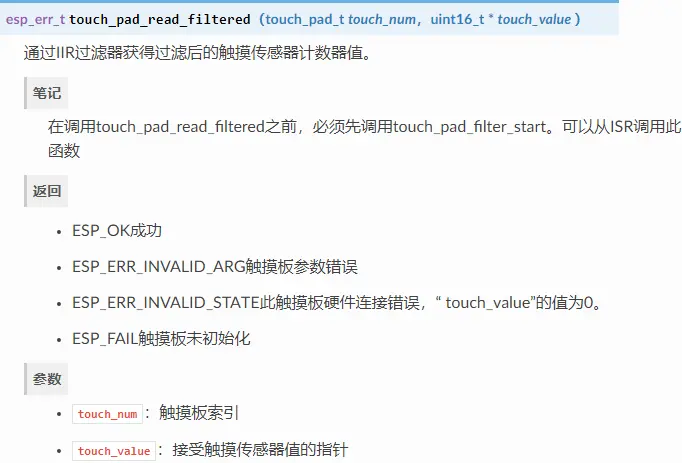
4.6 touch_pad_read_filtered
4.7 touch_pad_set_fsm_mode
4.8 touch_pad_set_thresh
4.9 touch_pad_isr_register
4.10 touch_pad_get_status
4.11 touch_pad_clear_status
4.12 touch_pad_intr_enable
五、触摸按键中断
根据 esp-idfexamplesperipheralstouch_pad_interrupt 中的例程修改
#include Read values sensed at all available touch pads. Use 2 / 3 of read value as the threshold to trigger interrupt when the pad is touched. Note: this routine demonstrates a simple way to configure activation threshold for the touch pads. Do not touch any pads when this routine is running (on application start). */static void tp_example_set_thresholds(void){ uint16_t touch_value; for (int i = 0; i < TOUCH_PAD_MAX; i++) { //read filtered value touch_pad_read_filtered(i, &touch_value); s_pad_init_val[i] = touch_value; ESP_LOGI(TAG, 'test init: touch pad [%d] val is %d', i, touch_value); //set interrupt threshold. ESP_ERROR_CHECK(touch_pad_set_thresh(i, touch_value * 2 / 3)); }}// 检测触摸中断任务static void tp_example_read_task(void *pvParameter){ static int show_message; while (1) { //interrupt mode, enable touch interrupt touch_pad_intr_enable(); for (int i = 0; i < TOUCH_PAD_MAX; i++) { if (s_pad_activated[i] == true) { ESP_LOGI(TAG, 'T%d activated!', i); // Wait a while for the pad being released vTaskDelay(200 / portTICK_PERIOD_MS); // Clear information on pad activation s_pad_activated[i] = false; // Reset the counter triggering a message // that application is running show_message = 1; } } vTaskDelay(10 / portTICK_PERIOD_MS); // If no pad is touched, every couple of seconds, show a message // that application is running if (show_message++ % 500 == 0) { ESP_LOGI(TAG, 'Waiting for any pad being touched...'); } }}// 触摸中断处理函数。触摸过的端口保存在s_pad_activated数组中static void tp_example_rtc_intr(void *arg){ uint32_t pad_intr = touch_pad_get_status(); //clear interrupt touch_pad_clear_status(); for (int i = 0; i < TOUCH_PAD_MAX; i++) { if ((pad_intr >> i) & 0x01) { s_pad_activated[i] = true; } }}/* * Before reading touch pad, we need to initialize the RTC IO. */static void tp_example_touch_pad_init(void){ for (int i = 0; i < TOUCH_PAD_MAX; i++) { //init RTC IO and mode for touch pad. touch_pad_config(i, TOUCH_THRESH_NO_USE); }}void app_main(void){ // Initialize touch pad peripheral, it will start a timer to run a filter ESP_LOGI(TAG, 'Initializing touch pad'); touch_pad_init(); // 如果使用中断触发模式,应将触摸传感器FSM模式设置为“ TOUCH_FSM_MODE_TIMER” touch_pad_set_fsm_mode(TOUCH_FSM_MODE_TIMER); // 设定充放电参考电压:高参考电压,低参考电压,高参考电压衰减 // the high reference valtage will be 2.7V - 1V = 1.7V, The low reference voltage will be 0.5V. touch_pad_set_voltage(TOUCH_HVOLT_2V7, TOUCH_LVOLT_0V5, TOUCH_HVOLT_ATTEN_1V); // 配置触摸端口 tp_example_touch_pad_init(); // 初始化并启动软件滤波器 touch_pad_filter_start(TOUCHPAD_FILTER_TOUCH_PERIOD); // 设定中断限值,此时不要触摸,2/3的读取值做为限值 tp_example_set_thresholds(); // 注册触摸中断ISR touch_pad_isr_register(tp_example_rtc_intr, NULL); // 开启一个任务处理电容触摸 xTaskCreate(&tp_example_read_task, 'touch_pad_read_task', 2048, NULL, 5, NULL);} 查看打印: 六、轮询检测按键 根据 esp-idfexamplesperipheralstouch_pad_interrupt 中的例程修改 #include Read values sensed at all available touch pads. Use 2 / 3 of read value as the threshold to trigger interrupt when the pad is touched. Note: this routine demonstrates a simple way to configure activation threshold for the touch pads. Do not touch any pads when this routine 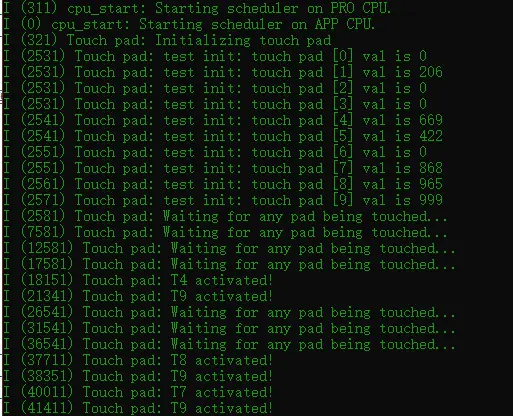


上一篇:ESP32学习笔记(17)——I2C接口使用
下一篇:ESP32学习笔记(15)——LEDC(PWM)接口使用
推荐阅读最新更新时间:2026-03-25 10:39

 SPI to PSI5
 【Follow me第三季第3期】代码
 【Follow me第三季第3期】XIAO ESP32S3任务代码提交
 现代雷达系统的信号设计
- 用于 7VIN 至 16VIN、1.5V 和 1.2V 输出的 LTM4628EV DC/DC 模块稳压器的典型应用电路
- 使用 Analog Devices 的 LTC3728LIGN 的参考设计
- DER-406 - 适用于 A19 灯的 5.76 W 高 PF 非隔离降压-升压型 TRIAC 调光 LED 驱动器
- ADR5045B 5V 输出精密微功率并联模式电压基准的典型应用
- LT3970EDDB-3.42 2.5V 降压转换器的典型应用
- MC78M08BDTG 8V 电流调节器的典型应用
- LT1021DCN8-5 精密电压基准的典型应用
- DER-282 - 100W, 扁平(11 mm), LLC DC-DC转换器
- REF193 低压差开尔文连接电压基准的典型应用电路
- LT3088EM 线性稳压器用于添加软启动的典型应用
 BFR340T






 京公网安备 11010802033920号