
一、问题
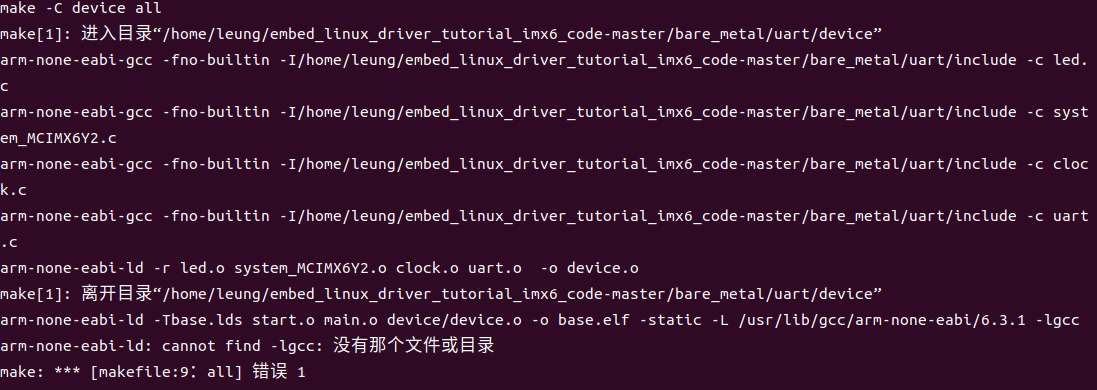
make[1]: 进入目录“/home/leung/embed_linux_driver_tutorial_imx6_code-master/bare_metal/uart/device”
arm-none-eabi-gcc -fno-builtin -I/home/leung/embed_linux_driver_tutorial_imx6_code-master/bare_metal/uart/include -c led.c
arm-none-eabi-gcc -fno-builtin -I/home/leung/embed_linux_driver_tutorial_imx6_code-master/bare_metal/uart/include -c system_MCIMX6Y2.c
arm-none-eabi-gcc -fno-builtin -I/home/leung/embed_linux_driver_tutorial_imx6_code-master/bare_metal/uart/include -c clock.c
arm-none-eabi-gcc -fno-builtin -I/home/leung/embed_linux_driver_tutorial_imx6_code-master/bare_metal/uart/include -c uart.c
arm-none-eabi-ld -r led.o system_MCIMX6Y2.o clock.o uart.o -o device.o
make[1]: 离开目录“/home/leung/embed_linux_driver_tutorial_imx6_code-master/bare_metal/uart/device”
arm-none-eabi-ld -Tbase.lds start.o main.o device/device.o -o base.elf -static -L /usr/lib/gcc/arm-none-eabi/6.3.1 -lgcc
arm-none-eabi-ld: cannot find -lgcc: 没有那个文件或目录
make: *** [makefile:9:all] 错误 1
二、原因
因为arm-none-eabi-gcc的版本比较高,不支持以上指令。
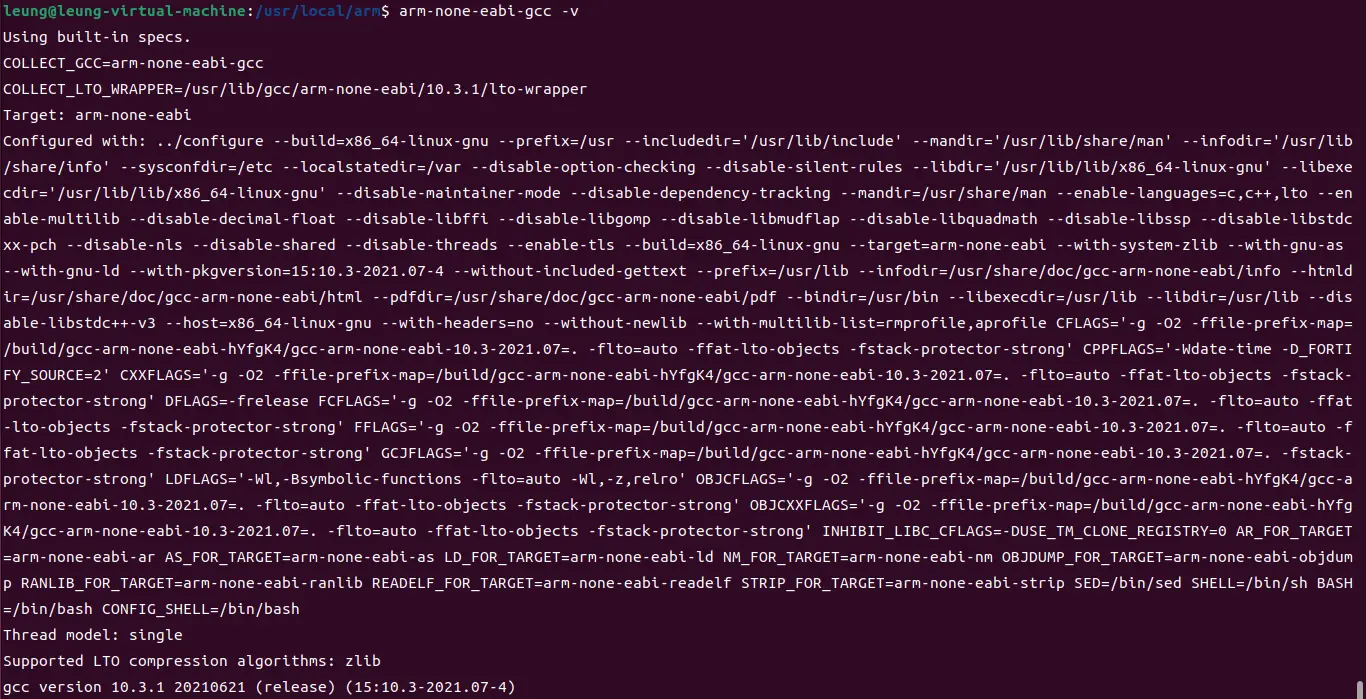
查看当前gcc版本:
arm-none-eabi-gcc -v
当前版本为10.3.1
三、解决方法
3.1 下载Linaro GCC
Linaro 是一间由ARM发起,与其它ARM SOC公司共同投资的非盈利性质的开放源代码软件工程公司,Linaro 开发了很多软件,最著名的就是 Linaro GCC 编译工具链(编译器)。
官网下载:
【老版本,稳定版】https://releases.linaro.org/components/toolchain/binaries/
【新版本,开发版】https://snapshots.linaro.org/gnu-toolchain/
百度网盘:https://pan.baidu.com/s/1w7-PwMcCwXZpOhjfQYFxQg?pwd=2jh0 提取码:2jh0
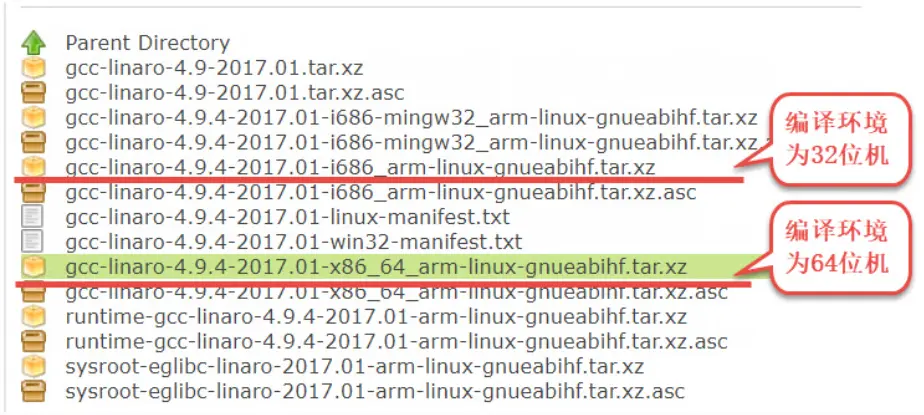
选择版本号
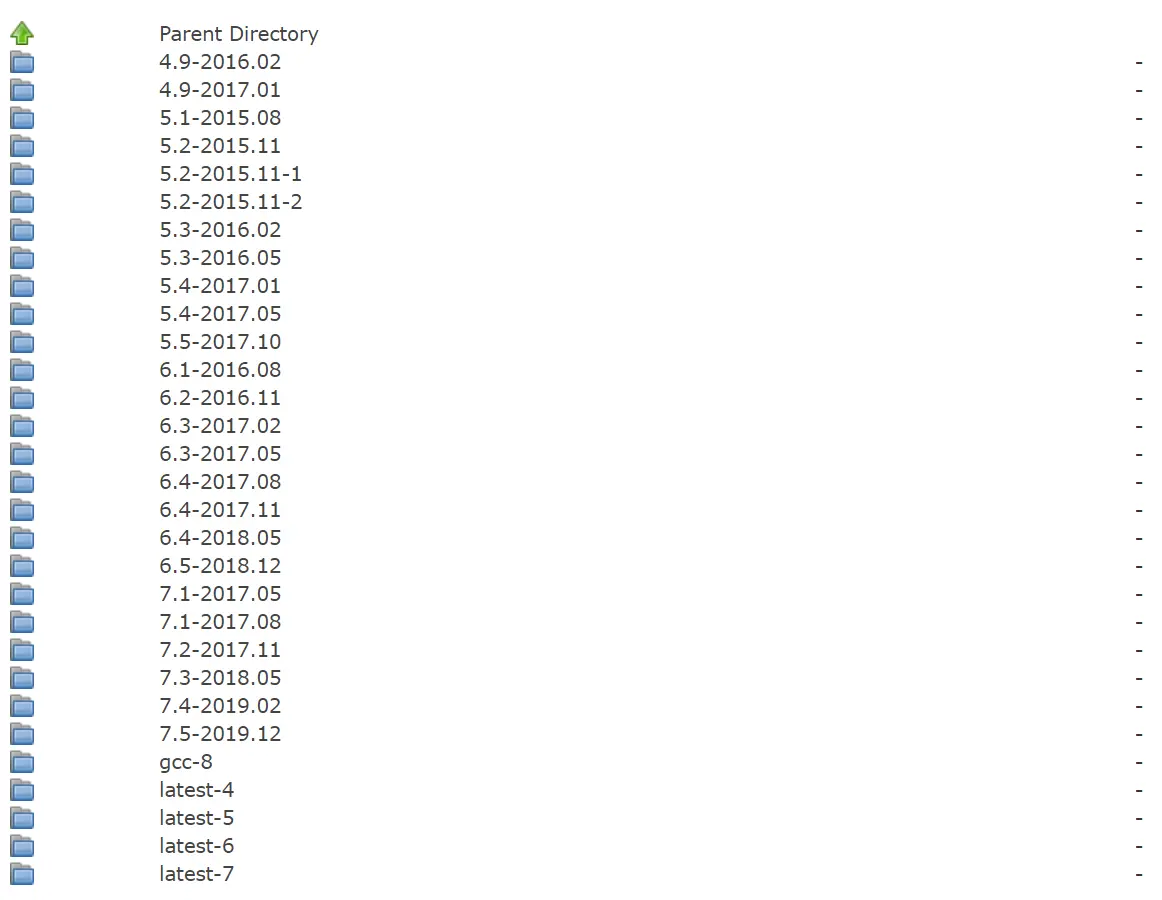
选择ARM架构类型
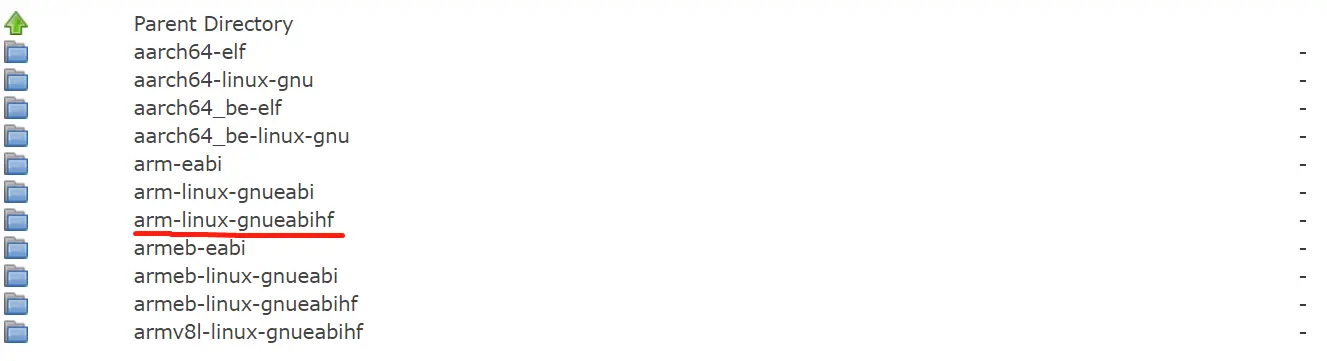
选择具体的编译器平台
创建存放编译器的目录
sudo mkdir /usr/local/arm将编译器复制到刚刚的目录
sudo cp gcc-linaro-7.5.0-2019.12-x86_64_arm-linux-gnueabihf.tar.xz /usr/local/arm/ -f将编译器工具进行解压
sudo tar -vxf gcc-linaro-7.5.0-2019.12-x86_64_arm-linux-gnueabihf.tar.xz修改环境变量,使编译器永久生效
使用 VI 打开/etc/profile 文件:
sudo vi /etc/profile
打开/etc/profile 以后,在最后面输入如下所示内容:
export PATH=$PATH:/usr/local/arm/gcc-linaro-7.5.0-2019.12-x86_64_arm-linux-gnueabihf/bin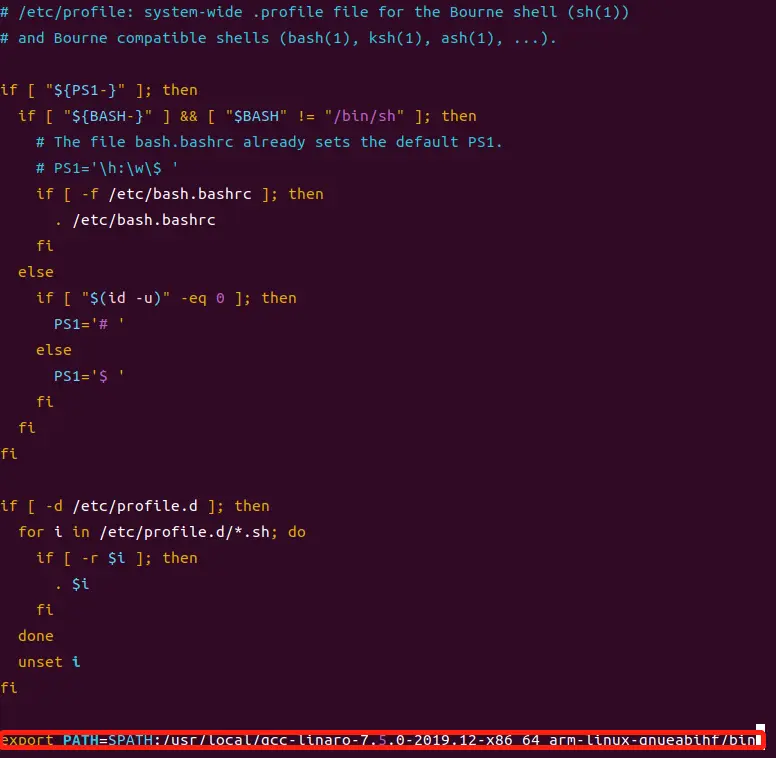
修改好以后就保存退出,重启系统,交叉编译工具链(编译器)就安装成功了
sudo reboot安装完成后使用如下命令查看版本
arm-linux-gnueabihf-gcc –v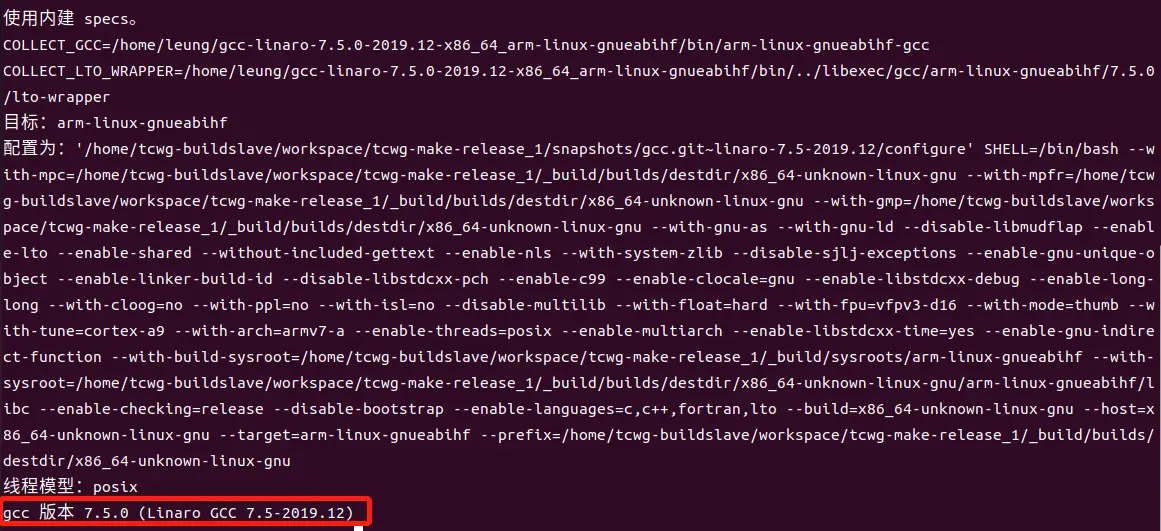
如果是Linaro 4.9的老版本编译器,还需要安装额外的库
sudo apt-get install lsb-core lib32stdc++6
3.2 修改makefile
使用 VIM 打开/embed_linux_driver_tutorial_imx6_code-master/bare_metal/uart/makefile 文件:
vim makefile将 libgcc_address := /usr/lib/gcc/arm-none-eabi/6.3.1 修改为 /usr/local/arm/gcc-linaro-7.5.0-2019.12-x86_64_arm-linux-gnueabihf/lib/gcc/arm-linux-gnueabihf/7.5.0
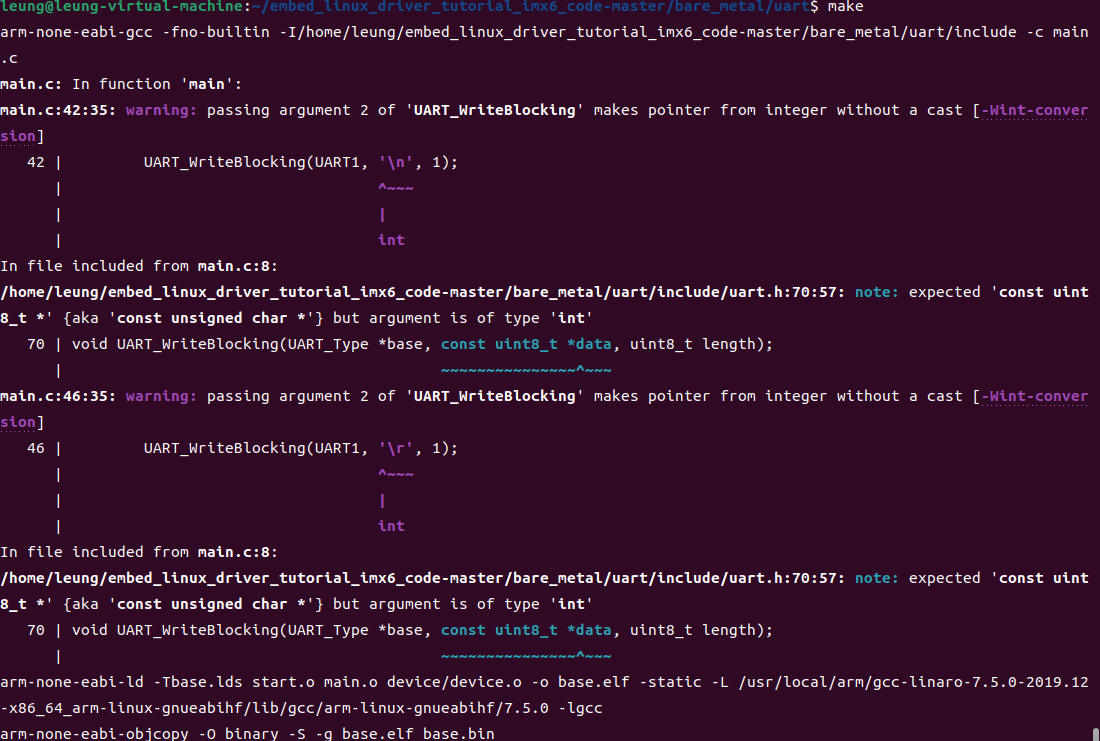
修改后: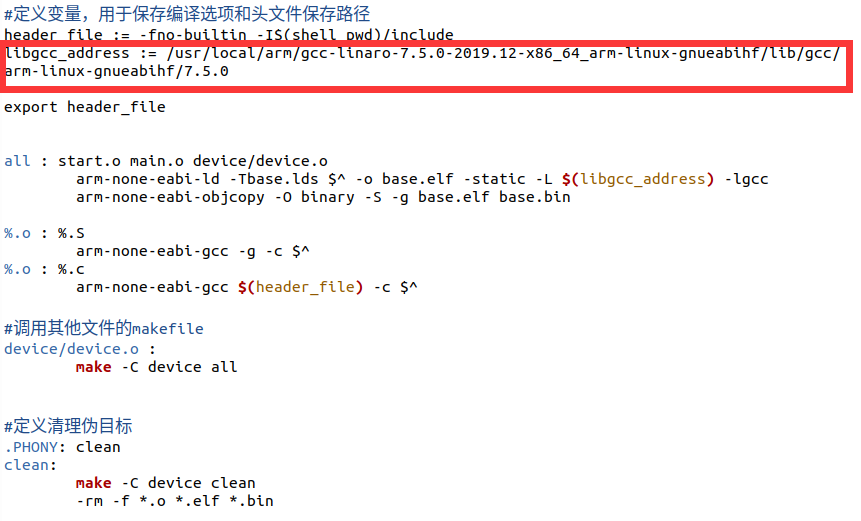
出现其他错误 undefined reference to `raise'
arm-none-eabi-ld -Tbase.lds start.o main.o device/device.o -o base.elf -static -L /usr/local/arm/gcc-linaro-7.5.0-2019.12-x86_64_arm-linux-gnueabihf/lib/gcc/arm-linux-gnueabihf/7.5.0 -lgcc
arm-none-eabi-ld: /usr/local/arm/gcc-linaro-7.5.0-2019.12-x86_64_arm-linux-gnueabihf/lib/gcc/arm-linux-gnueabihf/7.5.0/libgcc.a(_dvmd_lnx.o): in function `__aeabi_ldiv0':
/home/tcwg-buildslave/workspace/tcwg-make-release_1/snapshots/gcc.git~linaro-7.5-2019.12/libgcc/config/arm/lib1funcs.S:1545: undefined reference to `raise'
make: *** [makefile:9:all] 错误 1
在main.c中添加以下函数
int raise(void){
    return 0;}
重新编译成功
上一篇:IMX6ULL学习笔记(21)——MMDC接口使用(DDR3测试)
下一篇:IMX6ULL学习笔记(20)——UART串口使用
- 热门资源推荐
- 热门放大器推荐
 现代雷达系统的信号设计
 INA2126E-250

- RDR-142 - 35W电源
- i.MX RT1060 Evaluation Kit
- 使用 Embedded Planet 的 5CEFA9U27 的参考设计
- DC1369A-D、LTC2258-14 演示板、14 位 65 Msps ADC、LVDS 输出、5-170MHz
- LT3990EMSE-5 12V 降压转换器的典型应用
- 使用 Analog Devices 的 LTC1148 的参考设计
- LT1377IS8 具有直接反馈的正负转换器的典型应用
- 使用 NXP Semiconductors 的 TL431AI 的参考设计
- LT8304IS8E 18V 至 80Vin、5Vout 隔离反激式转换器的典型应用电路
- LT3512EMS 演示板,单片式高压隔离反激式转换器 36V VIN 75V,VOUT = 5V @ 500mA
 BFR340T






 京公网安备 11010802033920号